Accounting automation
Supplier invoices and accounting documents reach your ERP without re-typing
The system picks up supplier invoices and other documents from email, reads the details, amounts and VAT, checks them against your rules and prepares the entry in your accounting software.
Your accounting software stays the same. Your accountant approves only what is unclear.
- 30–45 minute call
- examples shown on your own screen
- written assessment afterwards
- Supplier matched
- VAT code valid
- No duplicate
Processes
Accounting work the system can take over
- Supplier invoices by emaildraft purchase document in your accounting software
- Credit notes and prepayment invoicesmatched to the original invoice or order
- Bank statementspayments matched to invoices
- Courier and marketplace reportssummary entries in the ledger
- Receipts and expense claimsstructured data with attachments
- Mismatches: wrong amount, unknown supplier, duplicatea task for your accountant
In practice
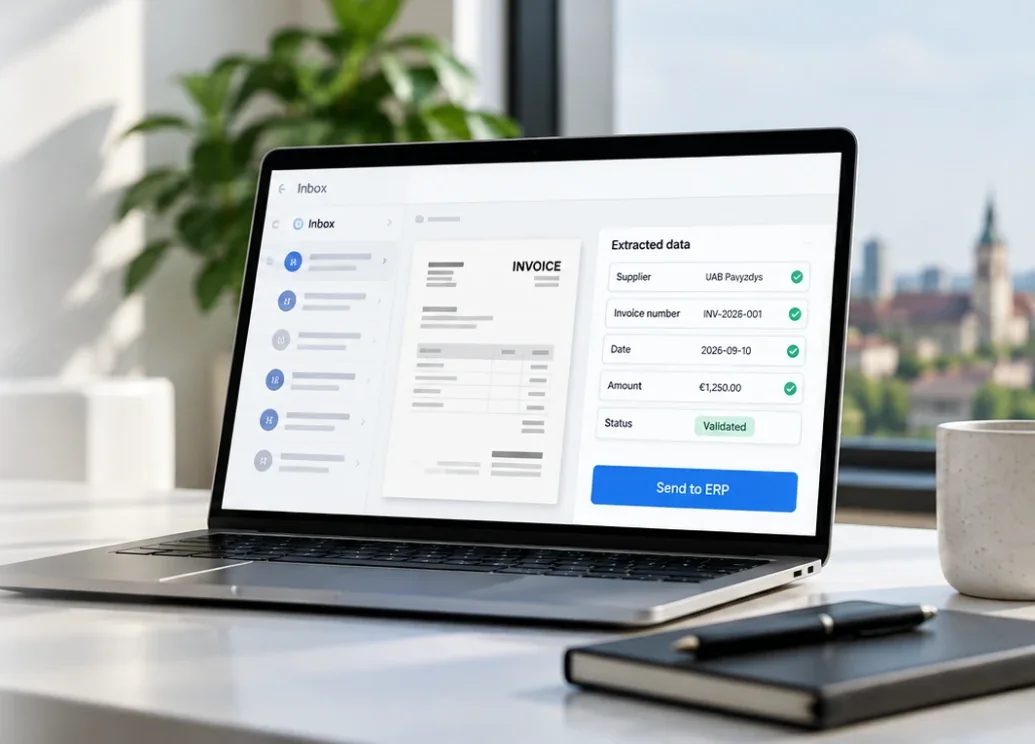
What your accountant sees
Each invoice arrives with its fields already extracted and checked. Your accountant reviews the flagged ones, and the rest is ready for the ledger.
- Supplier, number, date and amount extracted
- Every field checked against your rules
- Approved entries go straight to the ERP
How it works
From invoice in the inbox to entry in the ledger
Document arrives
Shared or dedicated inbox, PDF or photo
Extraction
Supplier, dates, amounts, VAT and lines
Checks
Supplier record, VAT code, duplicates, purchase order
Entry in your ledger
A draft in your accounting software
Exceptions to your accountant
Anything that breaks the rules waits for approval
The model reads the document, rules check it, and your accountant decides the exceptions. Every correction is stored, so any entry can be traced back to its source document.
Your software
No need to replace your accounting software
The system works with your accounting software through its API or import. Your team keeps working where it always has – the documents simply arrive already entered.
We use business-grade APIs that don’t train models on your data, and for sensitive processes the system can run on your own or an EU server. Data processing is agreed in the contract.
- Business Central
- Directo
- Odoo
- Rivilė
- B1.lt
Who it’s for
When it makes economic sense
For in-house finance teams and accounting firms that key in a large volume of supplier documents by hand every month.
Economics decide: the value recovered in a year has to clearly exceed the cost of the system.
If the review shows that your software’s own module or a simpler tool would do, we’ll tell you in writing.
Questions
What to know about accounting automation
- Which documents does the system recognise?
- Supplier, credit and prepayment invoices, bank statements, courier and marketplace reports, and receipts. It extracts supplier details, amounts and VAT and checks them against your rules.
- What happens when an amount doesn’t match or the supplier is unknown?
- The document does not go into the ledger automatically – your accountant gets a task with the mismatch flagged. Every correction is saved, so any entry can be traced back to the original document.
- Which accounting software does it work with?
- Business Central, Directo, Odoo, Rivilė, B1.lt and other software with an API or import. You keep your accounting software.
- Where do we start, and what does it cost?
- We start with a 30–45 minute process review: you show a few typical documents on your screen and get a written assessment. The price is fixed after the review and proposal, and the first working phase is usually planned for 6–10 weeks.
- Is our data used to train AI models?
- No. We use business-grade APIs that don’t train models on your data. For sensitive processes the system can run on your own or an EU server, and data processing is agreed in the contract.
Contact
Show us how your team enters invoices today
In a 30–45 minute call we look at a few typical documents on your screen. Afterwards we tell you in writing what can be automated, where rules are needed and whether the economics make sense.
Email
info@aiprocesai.ltPhone
+370 632 36434Location
Lithuania